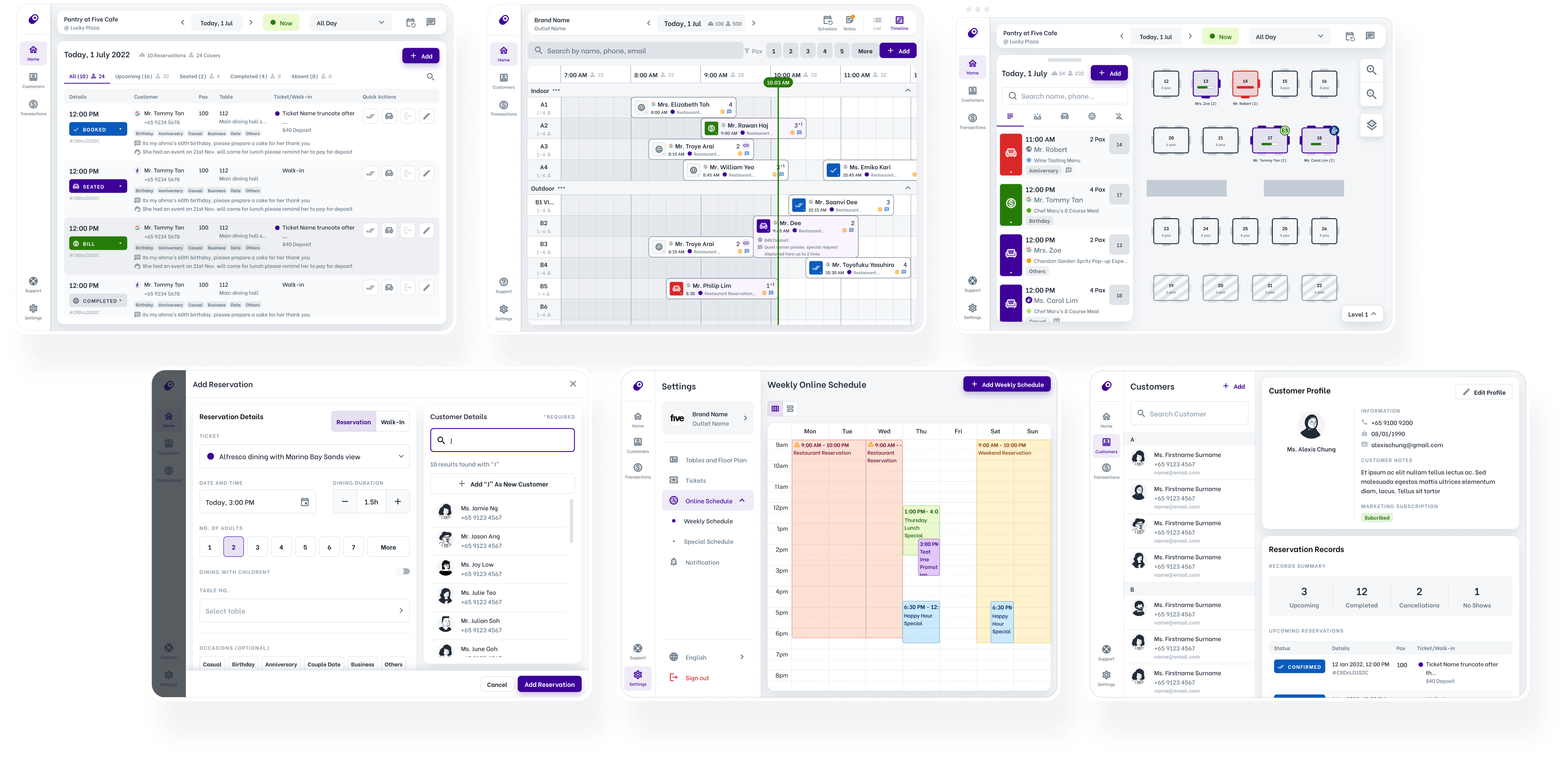
Oddle Reserve Host App (B2B)

Host App Redesign

Platform
Tablet/Desktop Responsive Web App
Timeline
Design: Jun - Dec 2022 (6 months)
Development: Dec 2022 - Mar 2023 (3 months)
Status
Launched and Live
Team
1x Designer
1x Product Manager
3x Usability Testers
10x Developers
Role
- Sole designer for Oddle Reserve Host App since its MVP in 2021
- Collaborated with product managers and engineers
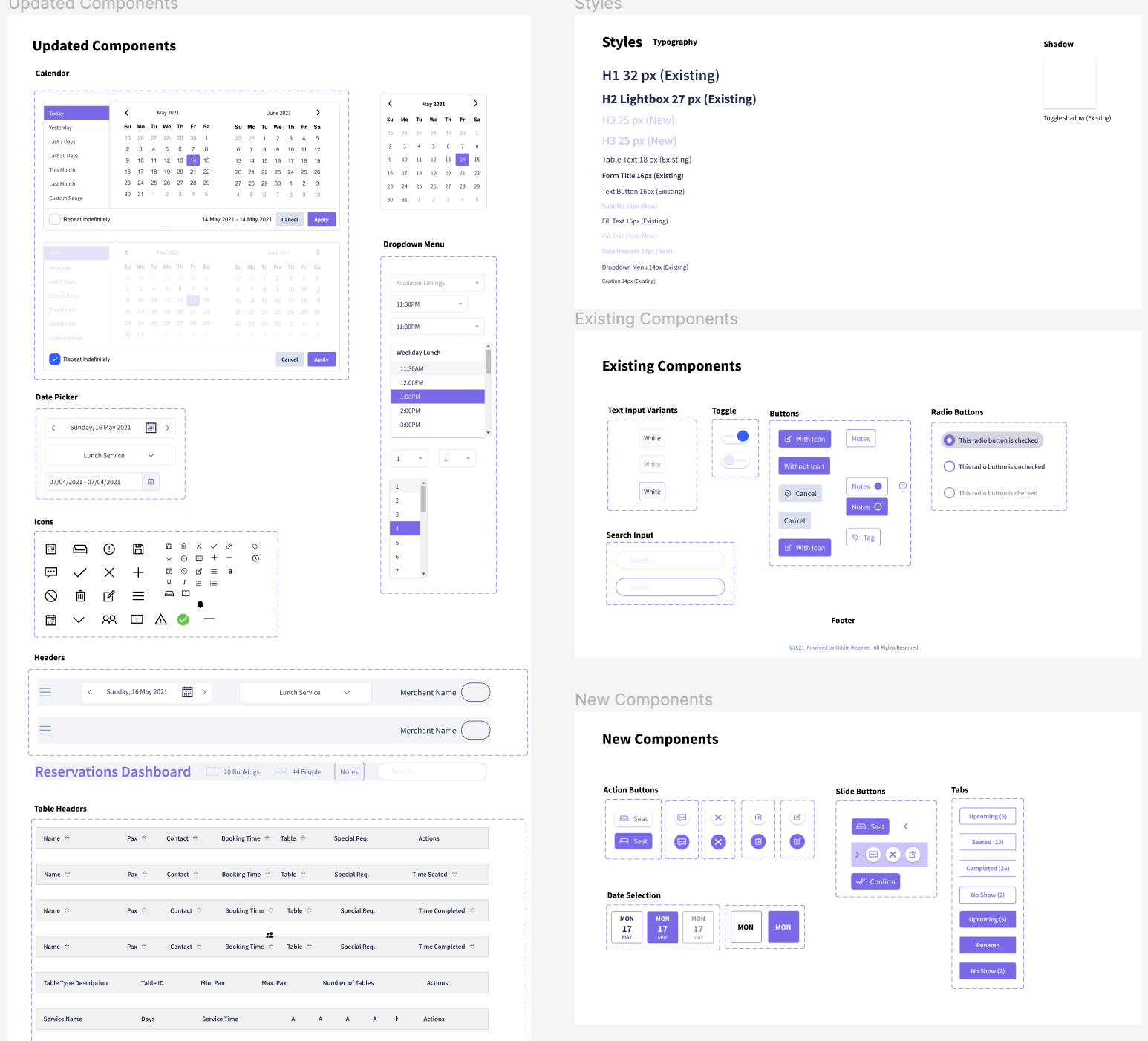
- Created and maintained the design library for Host App

Company Background
Oddle is a Singapore based F&B technology company that operates also in Malaysia, Taiwan and Hong Kong. With a focus on supporting the growth of over 5000 restaurants in Asia, Oddle offers a range of products and services such as online shop, reservation system and restaurant discovery platform.
Product Background
Oddle Reserve is a free reservation management solution introduced in Q3 2021 to establish the company as a comprehensive online-to-offline (O2O) platform. It serves a pivotal role in the company's restaurant acquisition strategy of getting merchants onboard to the ecosystem of Oddle products. However, due to time and resource constraints, Oddle Reserve has poor product market fit facing fundamental usability problems and feature disparity.
Problem
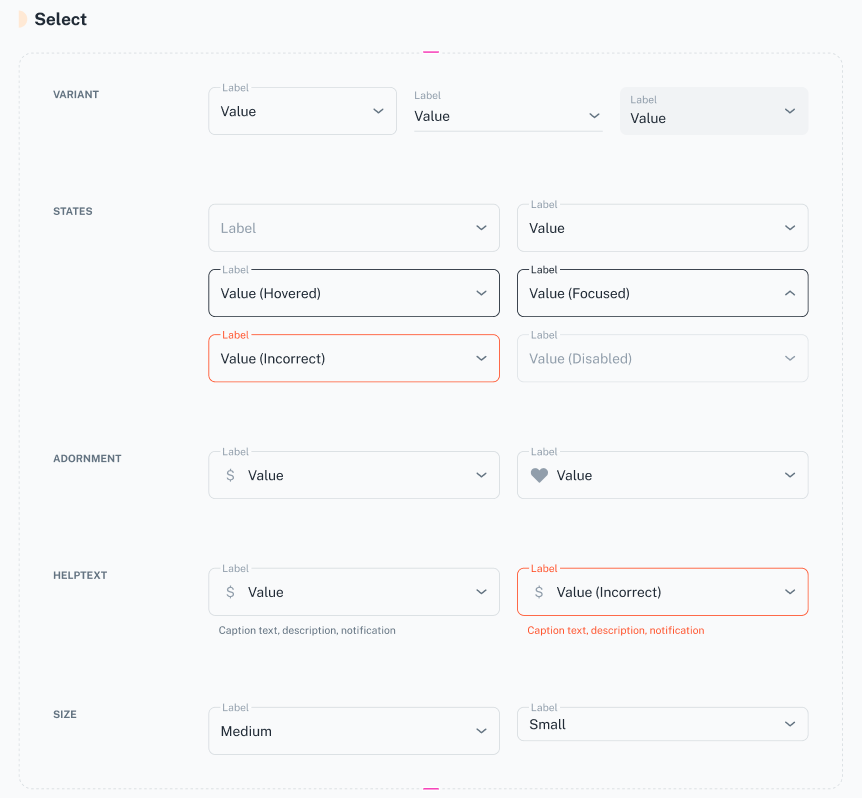
Through our product market fit survey, we found that many of our merchants indicated a lack of confidence in the host app's system due to perceived bugs, usability issues and feature parity. Host App MVP was also using an outdated design package with inconsistent styling that lacks alignment with the company's brand. Components were also inconsistent nor scalable for design and development process.
User Goals
Restaurant manager makes decisions regarding reservation acceptance, allocation of resources, and operational adjustments based on factors like special events or peak hours.
Restaurant staff uses the system for daily reservation management tasks such as booking and managing reservation details.
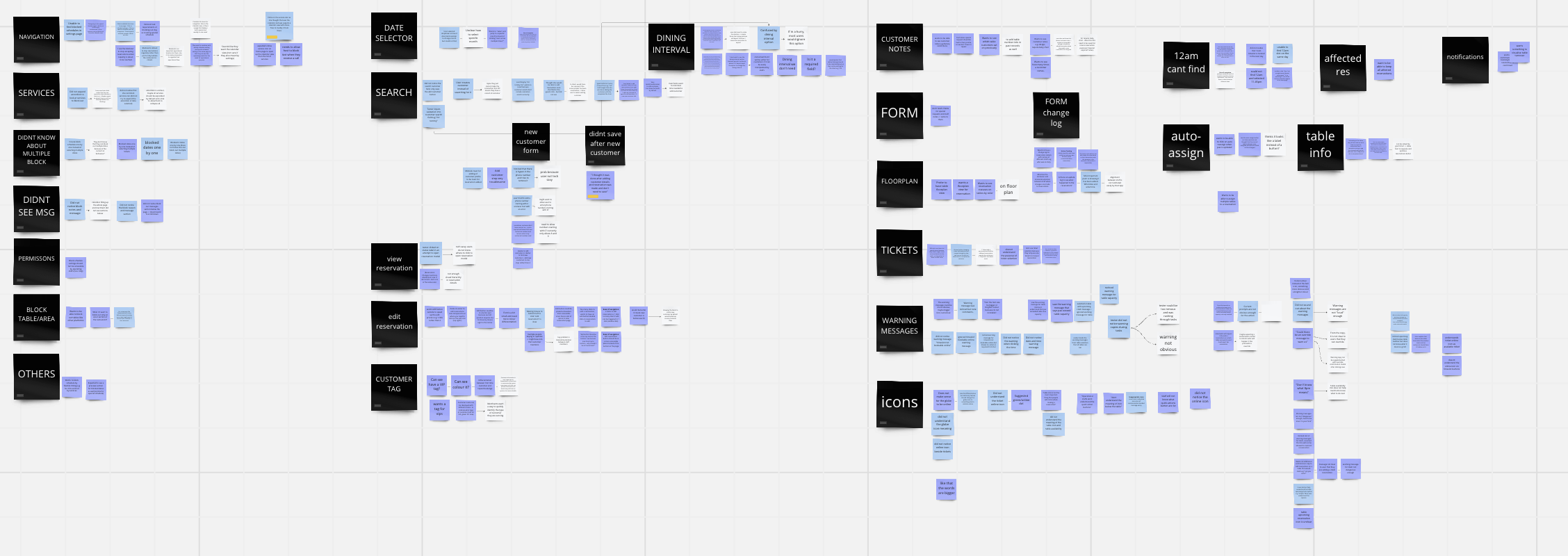
From our early merchant interviews, we identified these common goals of our users, both restaurant managers and staffs, using the host app.
1. Operational efficiency
During operations, efficiency and speed is important to restaurant staffs. Staffs wishes to complete basic management tasks stress-free, as quickly as possible.
“During operations, its all about speed.” - Restaurant Managers A & B
3. A reliable and delightful experience
User expects products to work consistently without errors glitches, or performance issues to provide trust and satisfaction.
2. Easy and intuitive to use
Restaurant staffs would like a reservation management app that is easy to understand, learn and operate. This is especially since some restaurant staffs are not tech-savvy. Restaurant managers would like simple and intuitive system that allows them to manage their reservation settings independently.
Business Goals
- Increase Oddle Reserve’s product market fit from 16% to 30-40% in the long term.
- Regain merchants’ confidence and trust with the product over time.
- Establish Oddle Reserve as a low friction entry product for merchant acquisition strategy.
- Reduce number of help requests or bug report and decrease costs and operational burden on the support and sales team.
Scope and Priorities
Through merchant interviews and a product market fit survey after the MVP was launched, we found that 75% of merchant pain points require additional features to be built. To avoid necessitating a future redesign for additional features and to present our users with a refreshed perception of our product, the product manager opted to focus on overhauling the user interface of the host app and enhancing the usability of basic reservation flows. Therefore, the scope was prioritised in the following order by the PM:
1. Redesign host with new colors, styling and components from the new UI kit
2. Improve flexibility of reservation timings with new timeslot architecture
3. Improve efficiency of basic reservation management tasks
4. Improve ease of setting up reservation settings
5. Responsiveness on tablet and desktop
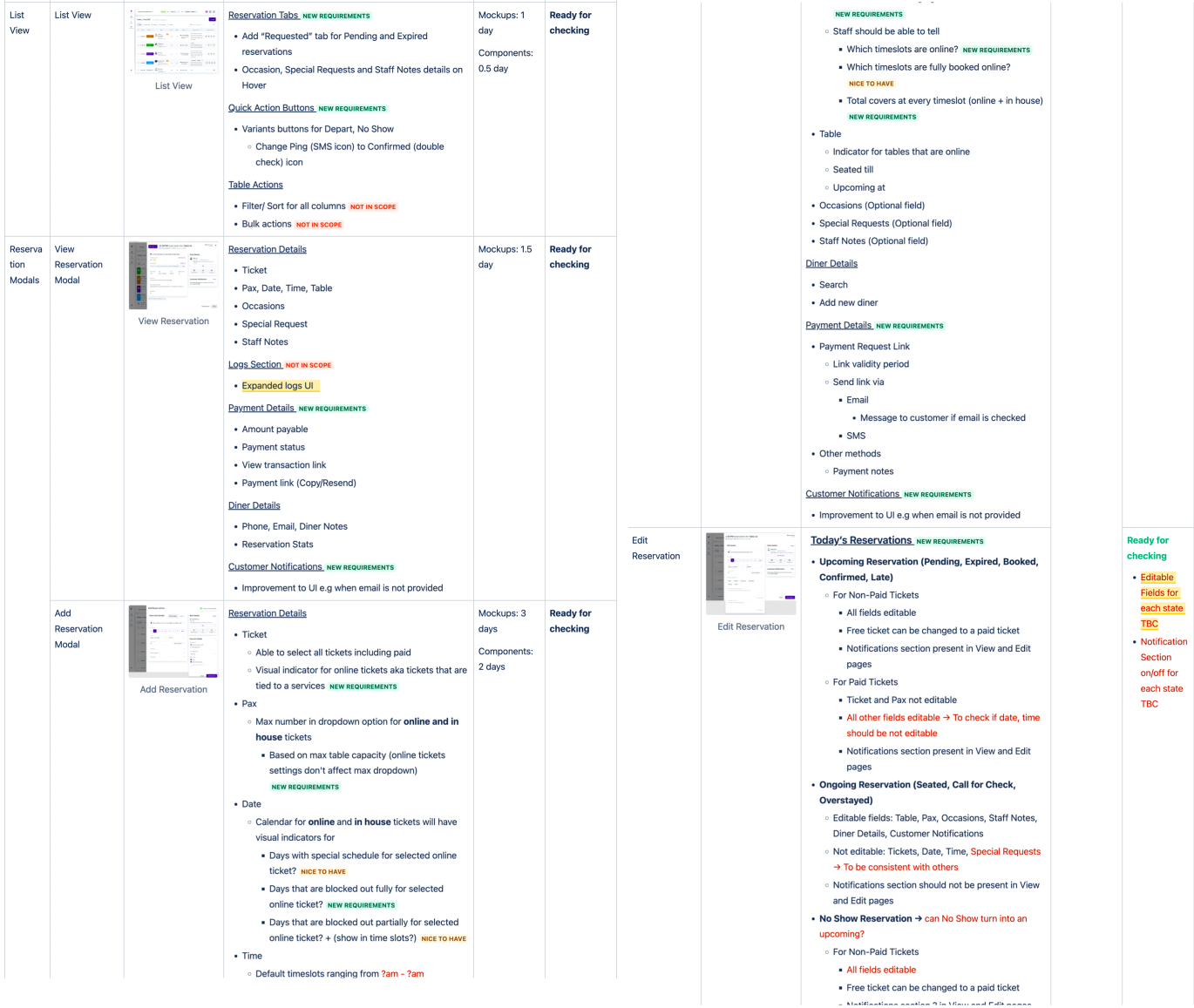
With a broad goal of improving basic reservation flow and setting up of reservation settings, I still felt hamstrung by not knowing what exactly we needed to improve. Therefore, I scanned through the user feedback database to identify areas that are "low hanging fruits" aka low effort high impact elements. I also conducted an audit for every element and states for all screens and marked the ones for this scope as new requirements, before validating the final scope with the PM.
A month after the redesign was released, the host app had achieved improved efficiency and usability with
72% merchant retention rate
15% lesser dead clicks and 62% lesser rage clicks
Reduced task completion time
“Easier navigation due to exposed navigation bar”
- Restaurant Manager A
“Cleaner aesthetically"
- Restaurant Manager B
1. Adopting a new design library
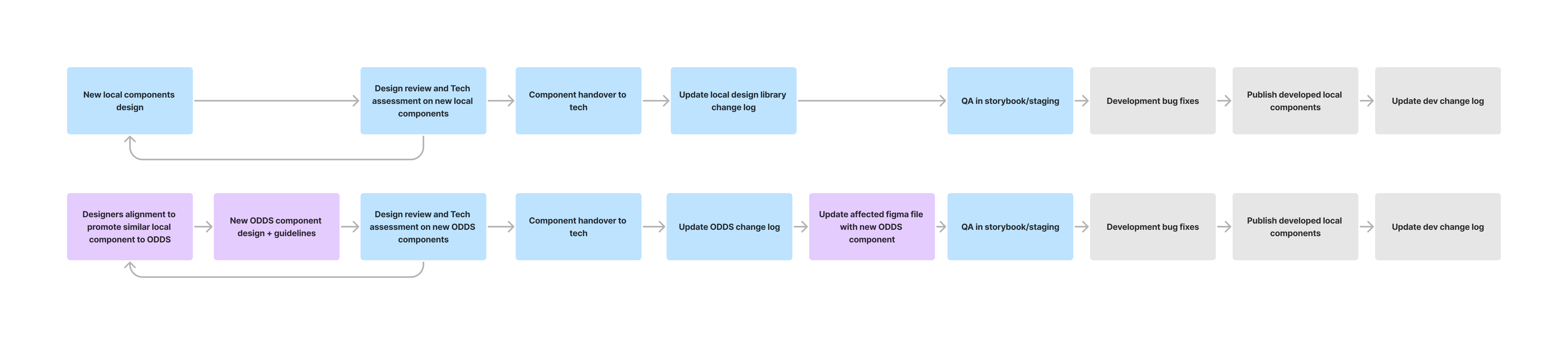
To ensure that all Oddle products component library remains consistent with the base library even in the long run, I initiated a discussion with the design team to establish a workflow for the usage and maintenance of all design systems.
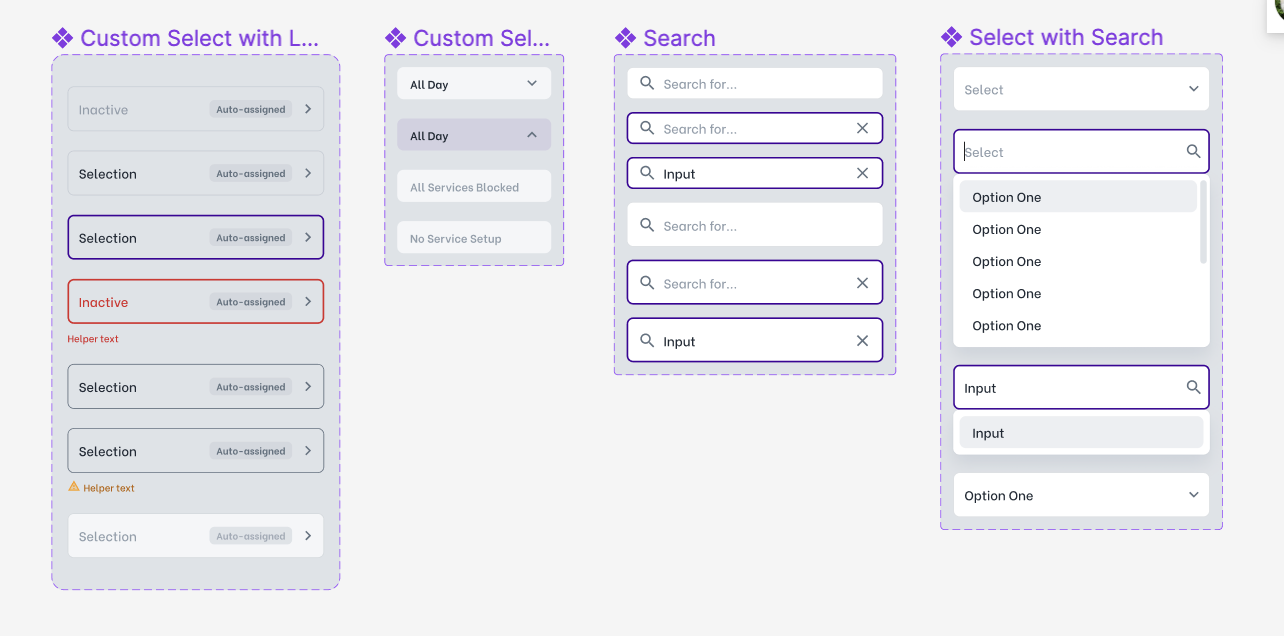
Being the only designer for host app, I also took charge of creating and maintaining the component library for the host app, which is a library of customised base components used uniquely in the host app interface.
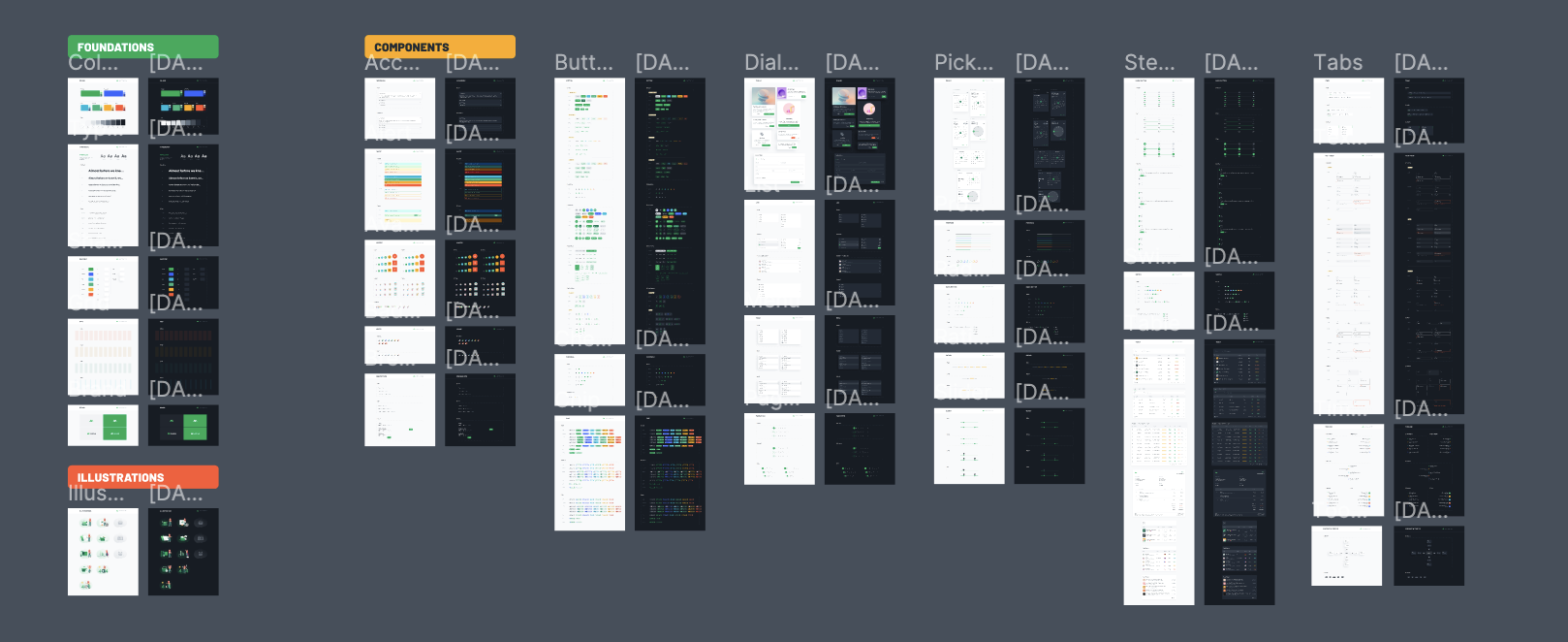
Before the project, Oddle underwent a rebranding process and the design team introduced a new, modern, and scalable design library package which included well-defined typography, styles, and an extensive collection of over 100 components. The package also came with a react kit that simplified development for our engineers. This new library formed the base design system for all Oddle products, maintained by a senior designer and I.
2. Greater flexibility for reservation acceptance
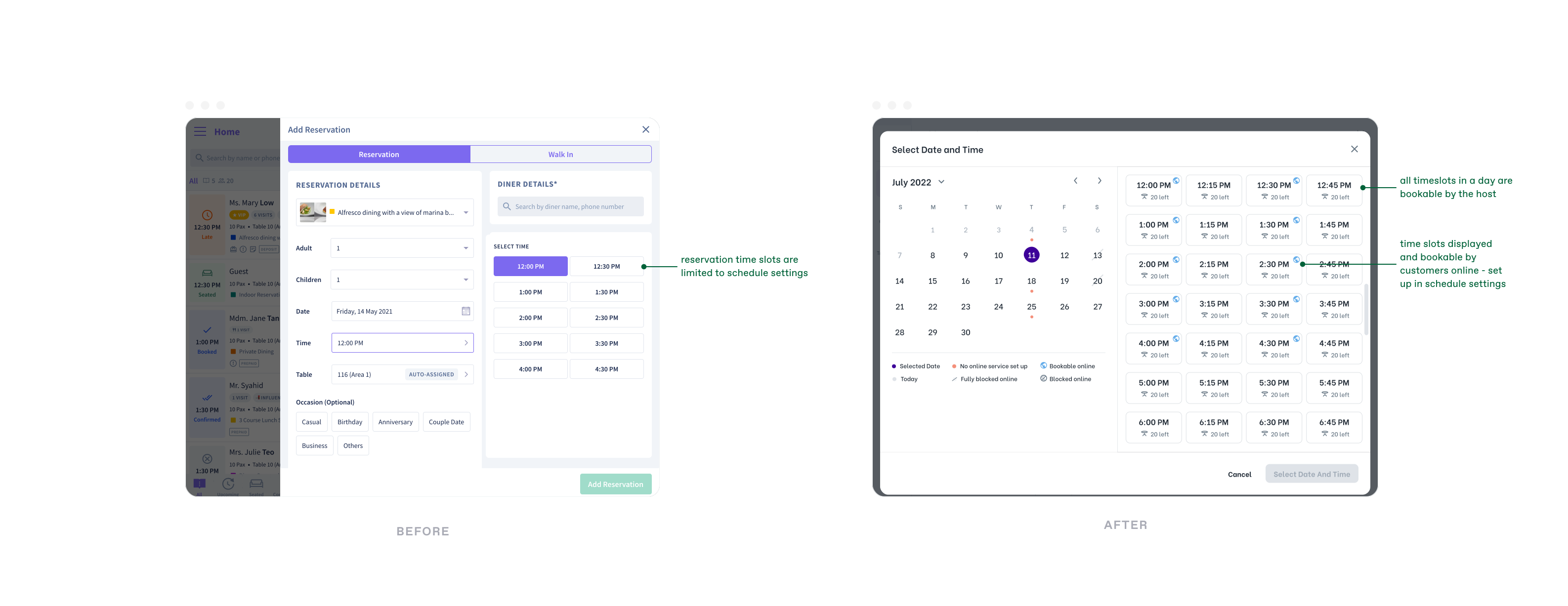
The current service settings in the host app determine the dates and timeslots that are bookable by customers online and merchant manually via the host app. However, this forms a restrictive system when a merchant is unable to create or edit reservation if it does not fulfil the constraints set.
For example, a merchant allows reservations to be booked online for small groups of 2-5 pax and wishes to only take reservation for larger groups above 5 pax via phone booking. However, due to the settings restricting reservations to 2-5 pax, merchant is unable to add groups with more than 5 pax into the system via host app.
This restrictive system also caused unintended issues when the service settings are edited. For example, if the minimum reservation pax setting is changed from 1 pax to 3 pax, all reservations made with 1 to 2 pax, within the service period, becomes unlinked and non-editable.
“It's very important for the system not to be the blocker. Operational staffs should know what they are doing, and system needs to be flexible for staffs to accomplish such use cases.” - Restaurant Manager
Solution:
i
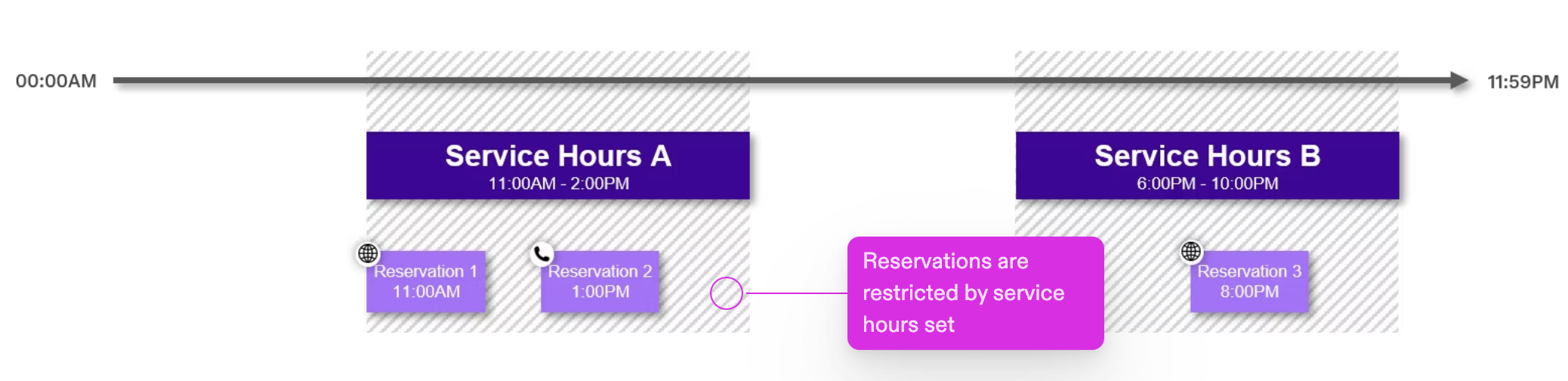
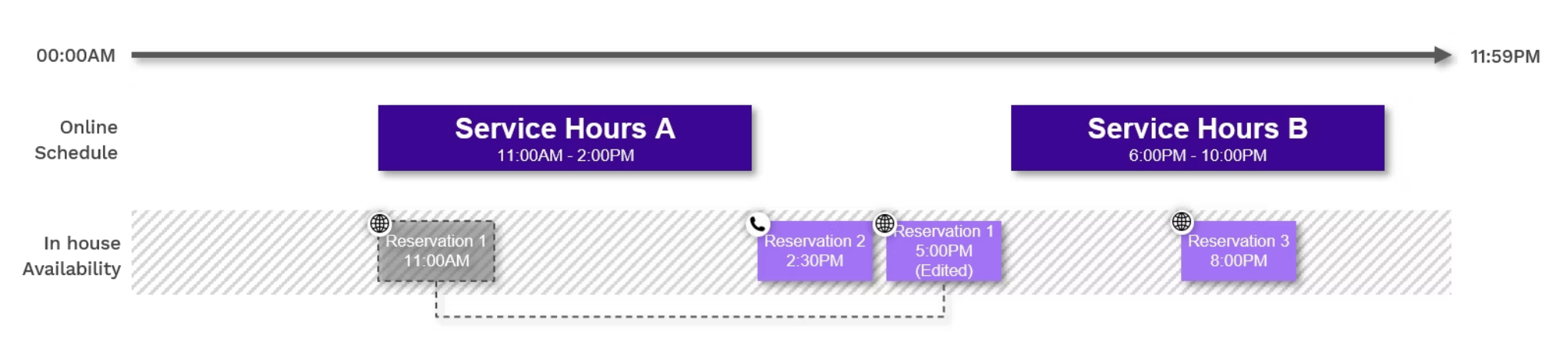
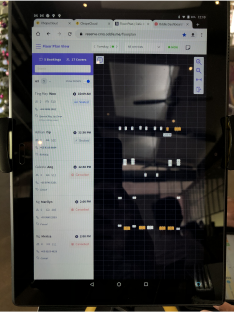
Separation of online and in-house architecture where service settings only affects online booking availability (e.g dark purple blocks). Once a reservation has been made online, it is placed in the in-house availability that spans 24h a day in 15min time blocks (e.g reservation 1 - 11:00am and reservation 3). These reservations are then no longer restricted by the online service settings and users can edit them without constraints (e.g reservation 1 can be edited to to 5:00pm where no online schedules are set up). With this new architecture, reservations can also be added for any date and time even when no online service has been set up (e.g reservation 2)
3. Improved efficiency for core reservation management tasks
During our interviews with merchants, we received feedback indicating that some reservation flows are not efficient during operations. Due to time constraints, we prioritised areas with significant impact and came up with minimal effort solutions.
3.1 Improved efficiency in changing reservation details and statuses
- Merchants were unable to change reservation status back to previous state if they had made a wrong change.
- Reservations that were not marked as "seated" within 15mins from the time of reservation will be automatically marked as “no show”. This caused staffs to miss out on reservations that are more than 15 mins late.
Solution:
a
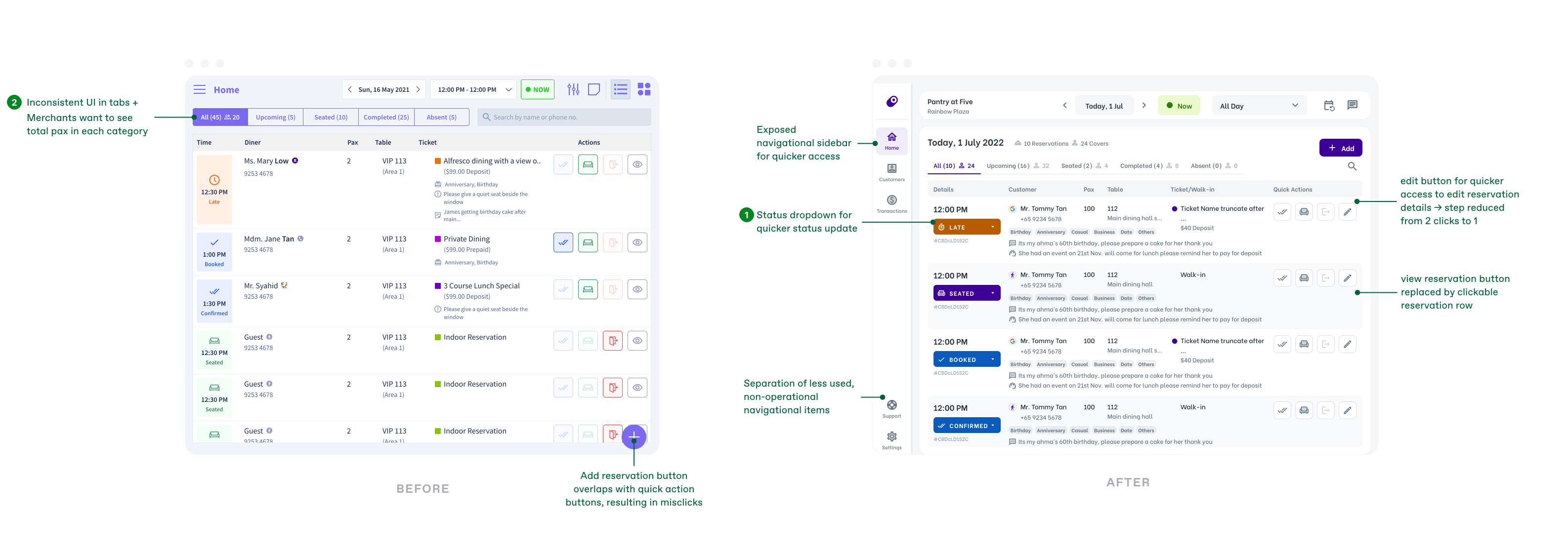
New dropdown selection for reversible status update. -> Staffs do not have to recreate a new reservation for accidental, irreversible status. Quicker status change with 2 clicks instead of 3.
- Users are confused on the meaning of values in brackets, for each status group in the list view. Format is inconsistent and number of covers is only shown in the first tab. Users have to count manually to get the total covers for each tab category.
Solution:
b
Consistent and distinctive icon and values to indicate reservation and pax
3.2 Improved efficiency in adding reservations/walk-in
Users feel that add reservation process on Host App is not as efficient as other competitors.
Improvement:
a
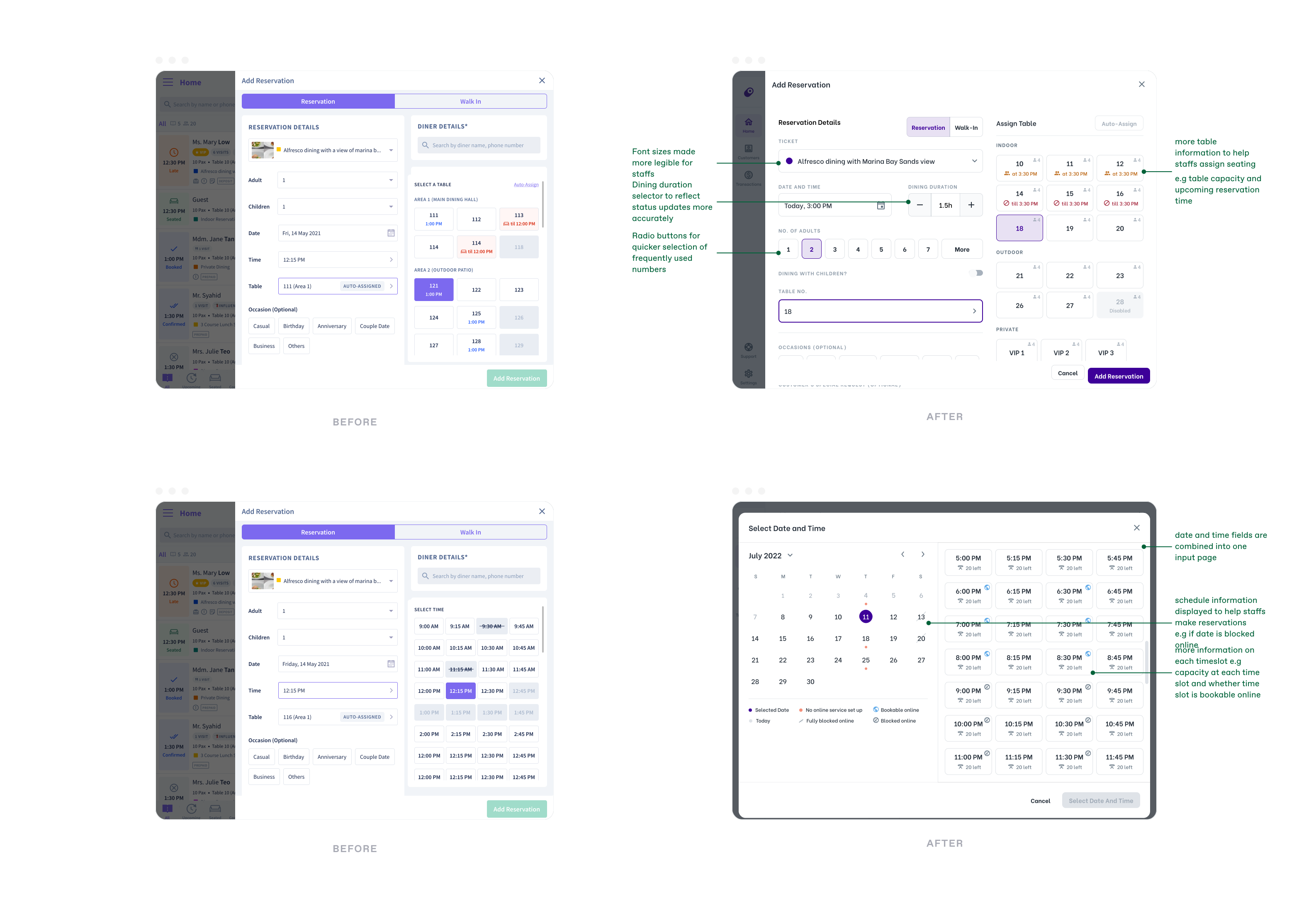
Hidden selector for children as they are less commonly used -> Form becomes more compact for better scanability
b
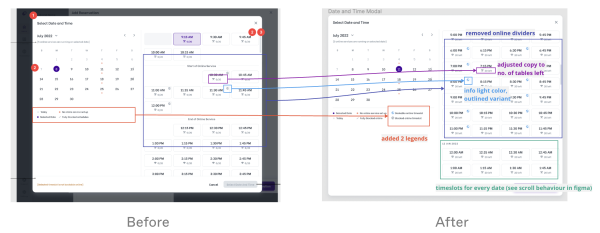
Combined date and time selector -> Help staffs to quickly identify available date and time
c
Pax selector using radio buttons compared to dropdown -> Reduced from 2 clicks to 1 for common pax numbers
d
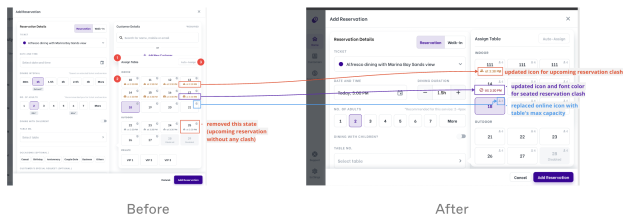
New table information e.g table capacity and upcoming reservation on a specific table -> Help staffs make better and quicker decisions during table assignment
Future Improvements:
- Still significantly more clicks than our competitors
- Conduct tests on the efficiency of different form layouts
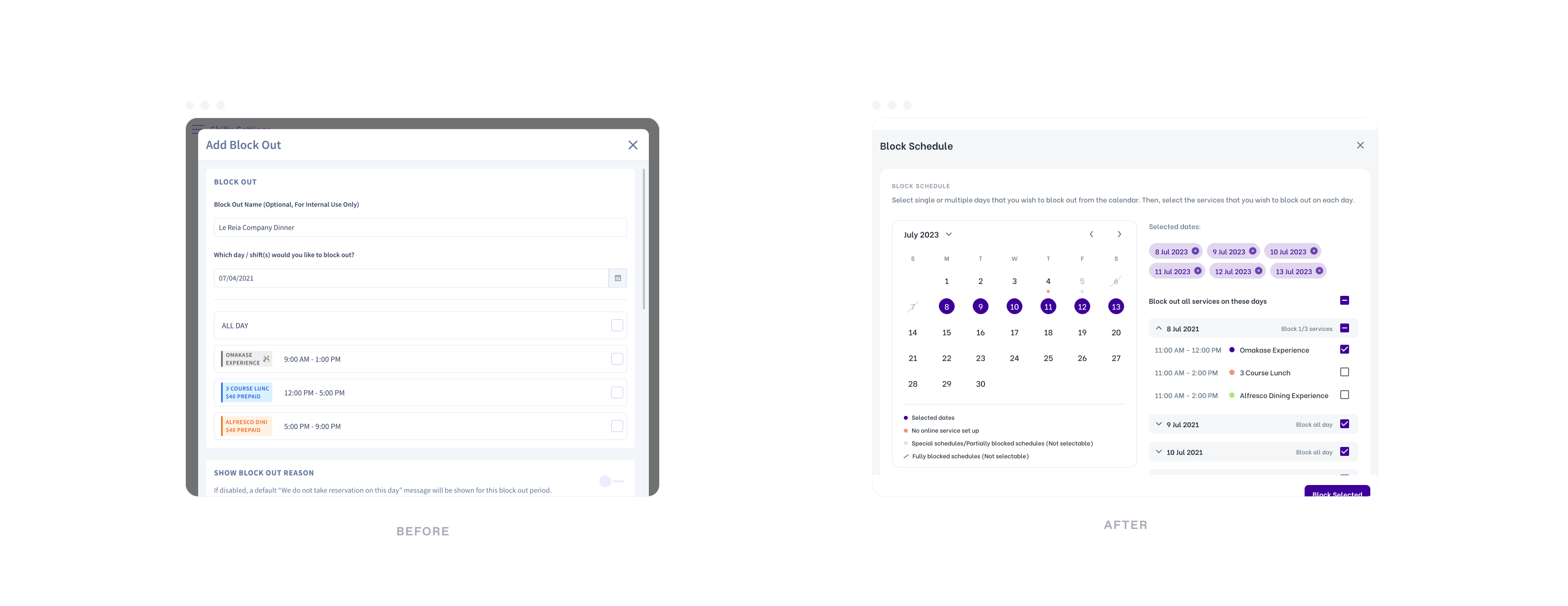
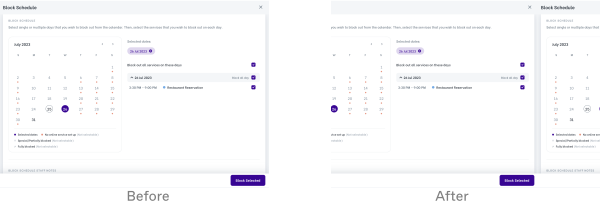
3.3 Improved efficiency in blocking online availability
Staffs are only able to block out a day or a service at a time, however this is very troublesome if they wish to block out specific services for longer periods of time e.g a week.
“Too many steps to set and check block out dates.” - Restaurant Manager
Improvement:
a
Allow multi-selection of dates and customised services to block on each day
Future Improvements:
- Still takes many steps for user to access block out form e.g 3 clicks
- Allow flexible block out timing for merchants
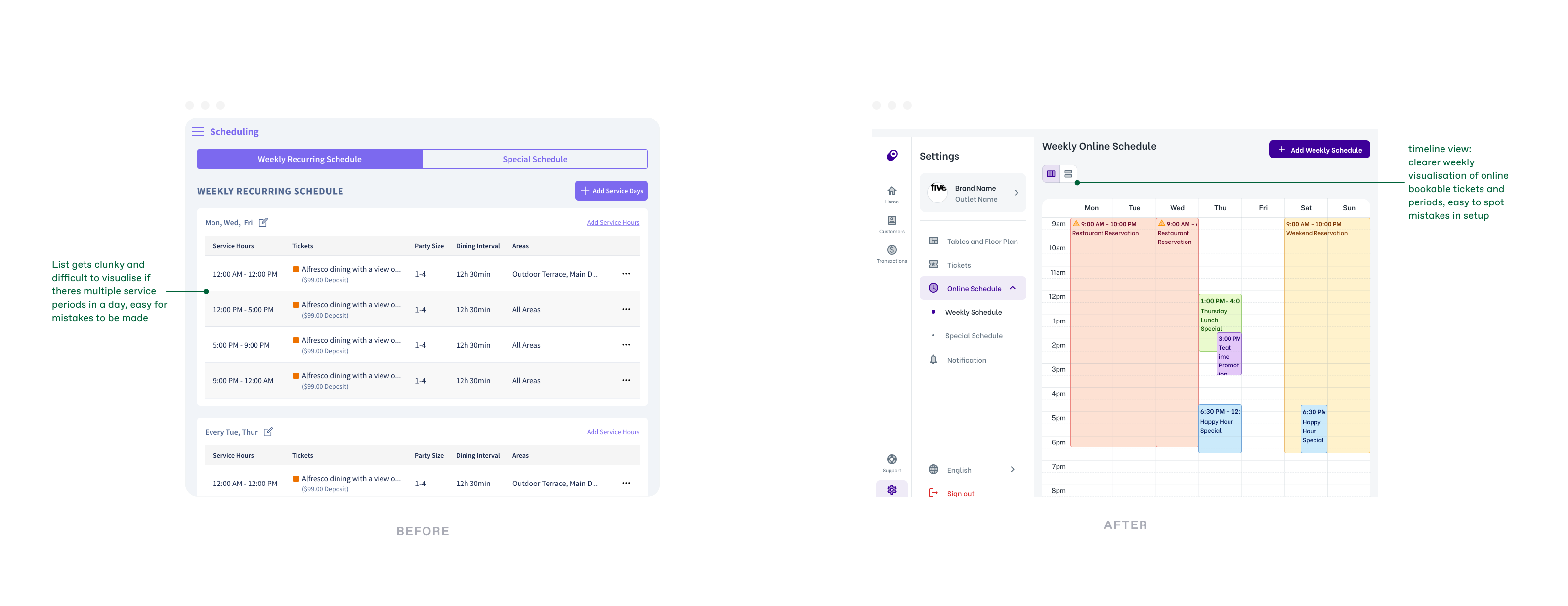
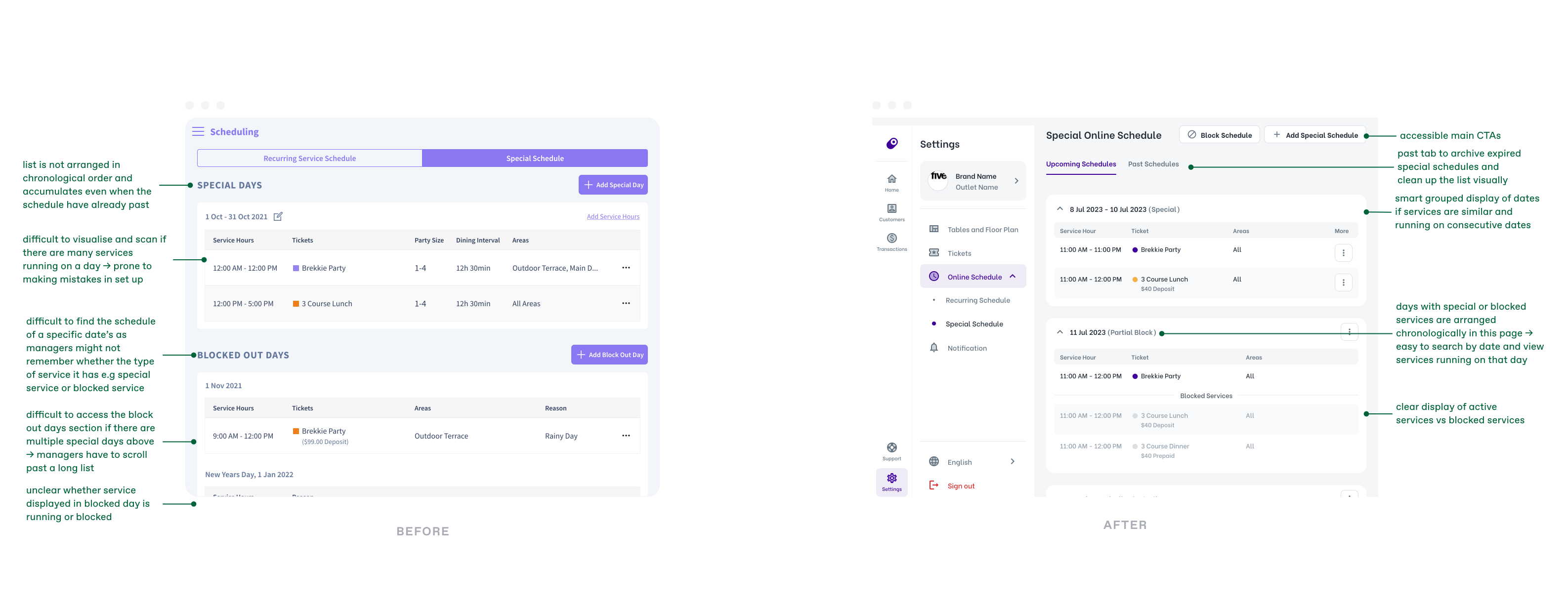
4. Simplified schedule set up
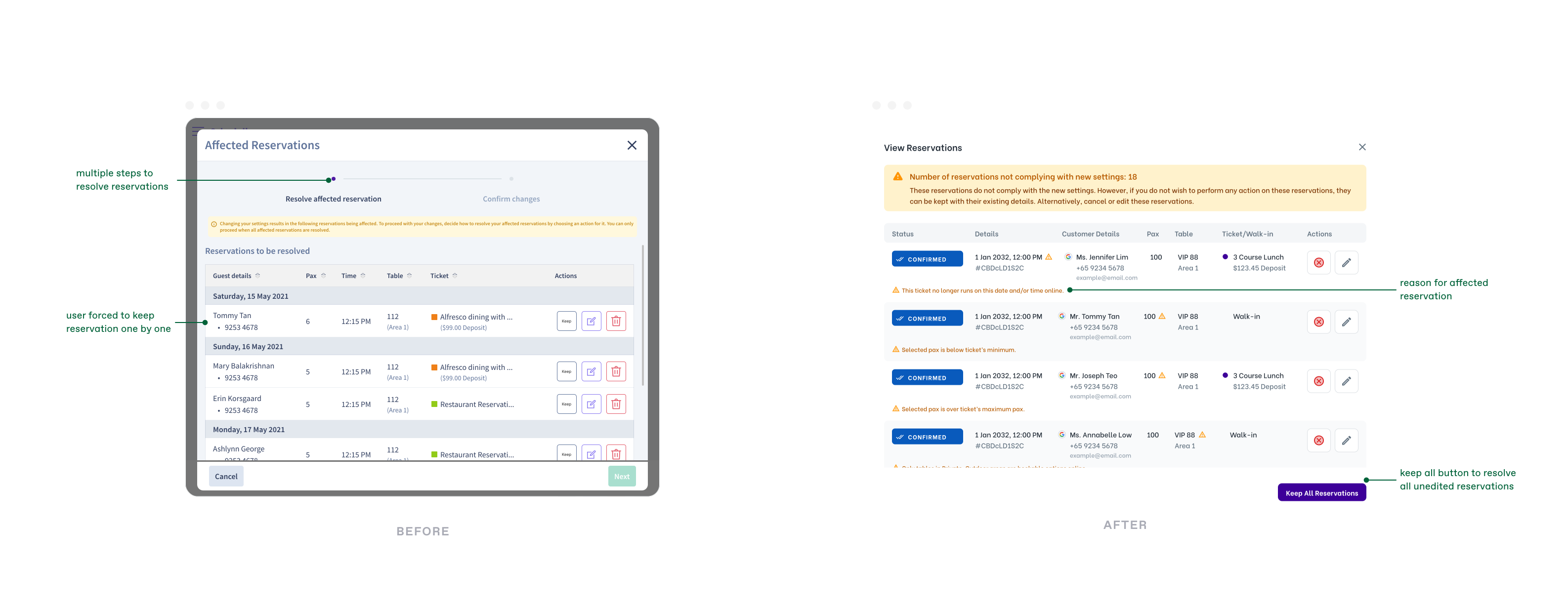
4.2 Fuss-free schedule changes with the ability to keep all affected reservations
Users are required to click “keep” for every reservation before they are allowed to proceed with a change in settings. However, this is not efficient when there are hundreds of affected reservations.
“When editing schedule, it is very troublesome to click the keep button for each and every reservation, especially if we have 200+ affected reservations.” - Restaurant Manager
Solution:
a
Keep all affected reservations in one click, making adjustments to schedule settings easier.
5. Optimised for Tablet
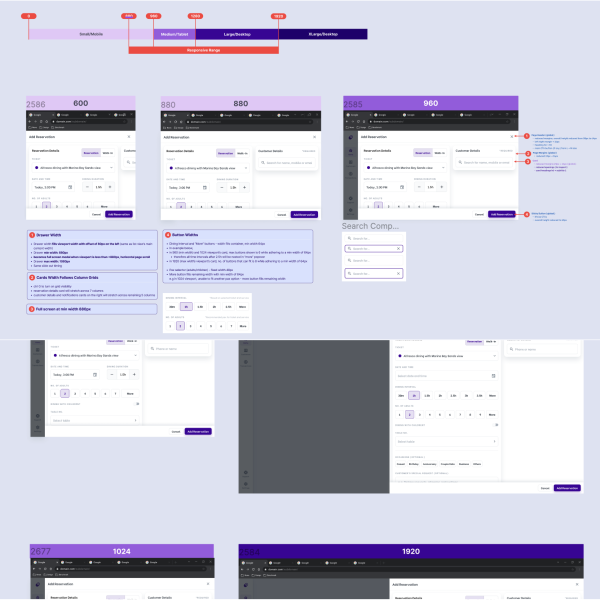
UI is not optimised on tablet screens as there are no responsive design with breakpoints. For e.g Add button doesnt show in portrait mode.
Solution:
a
- Breakpoints defined with design specifications on component behaviours.
- Conducted thorough testings after development on different devices (android and ios)
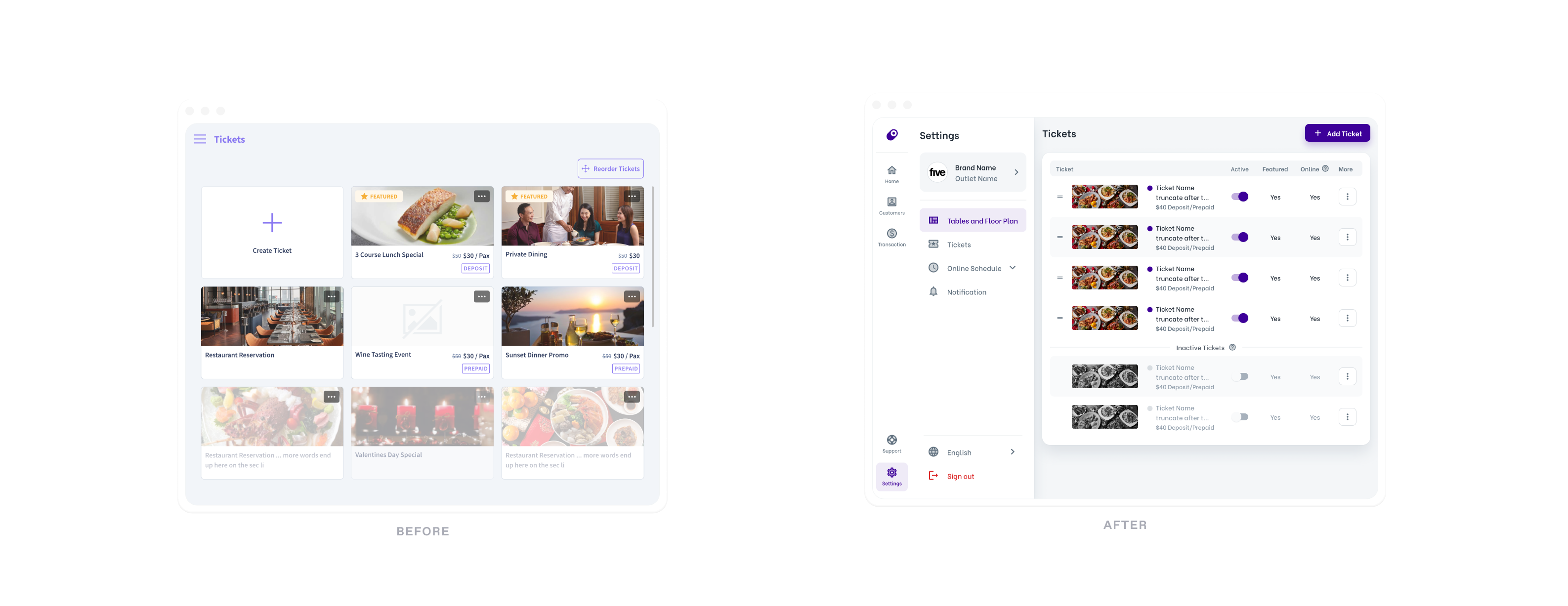
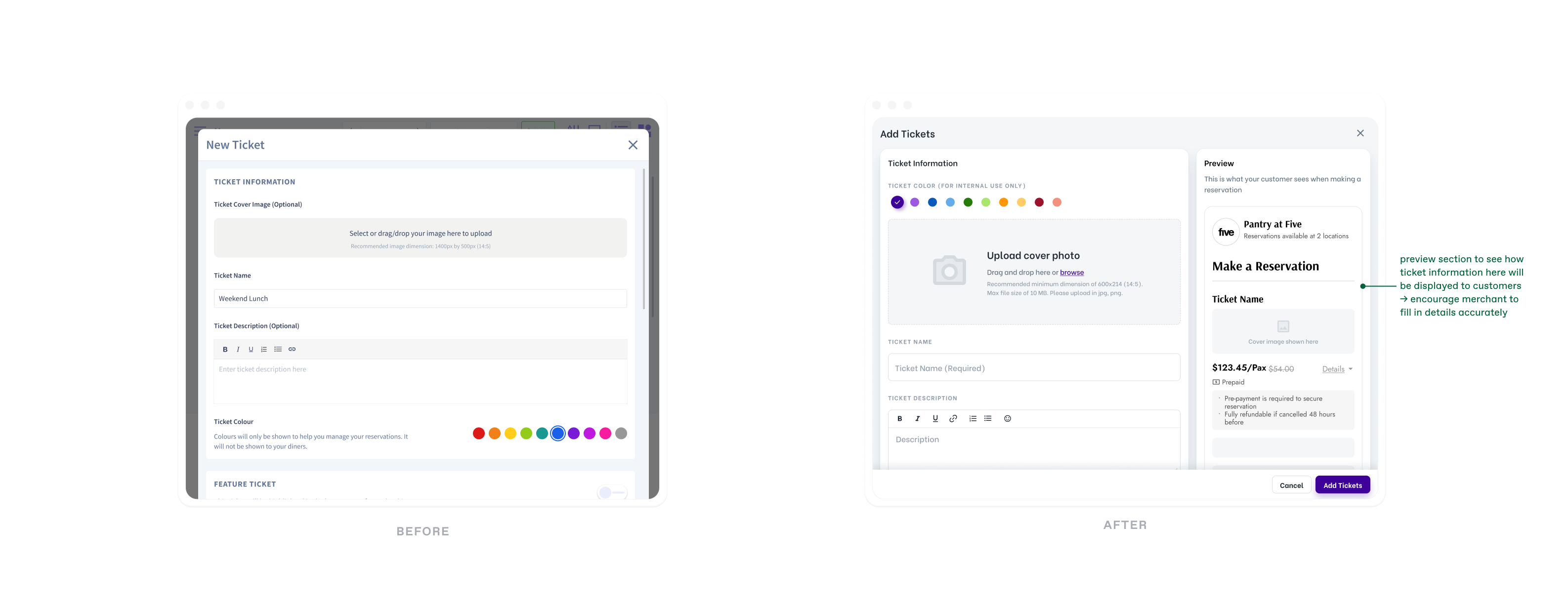
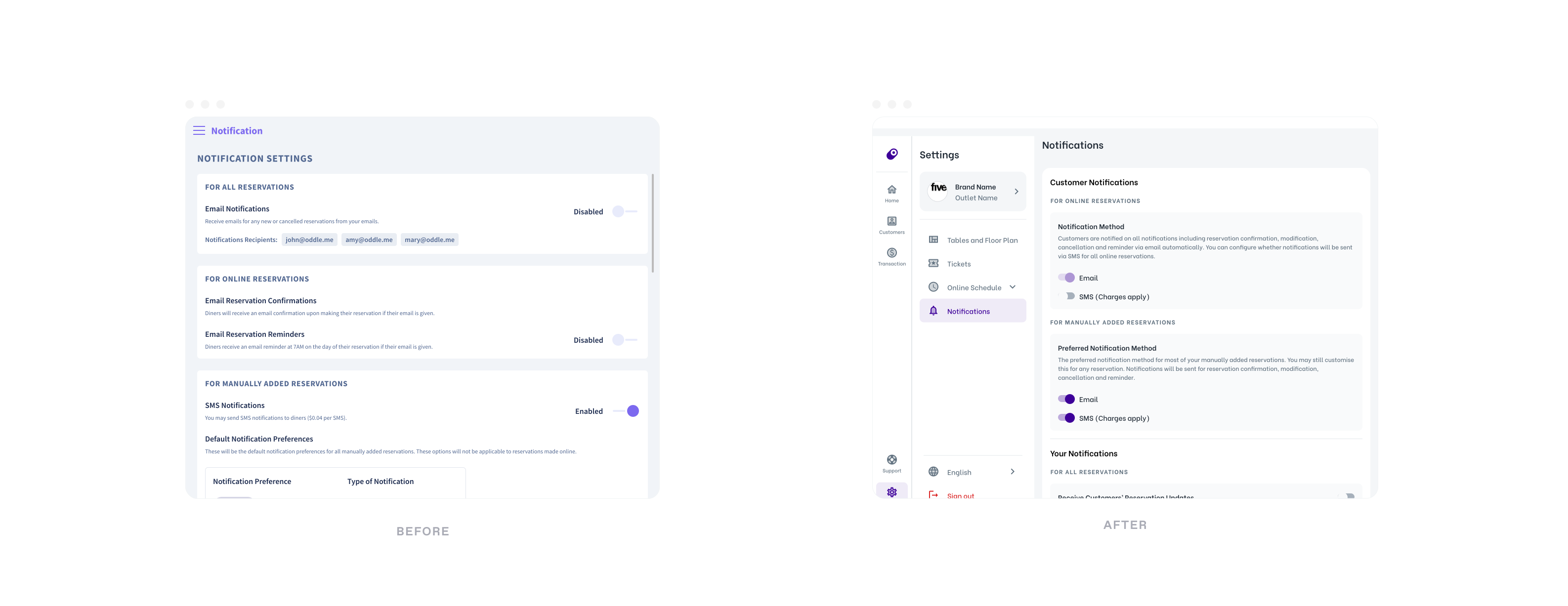
Other UI redesigns
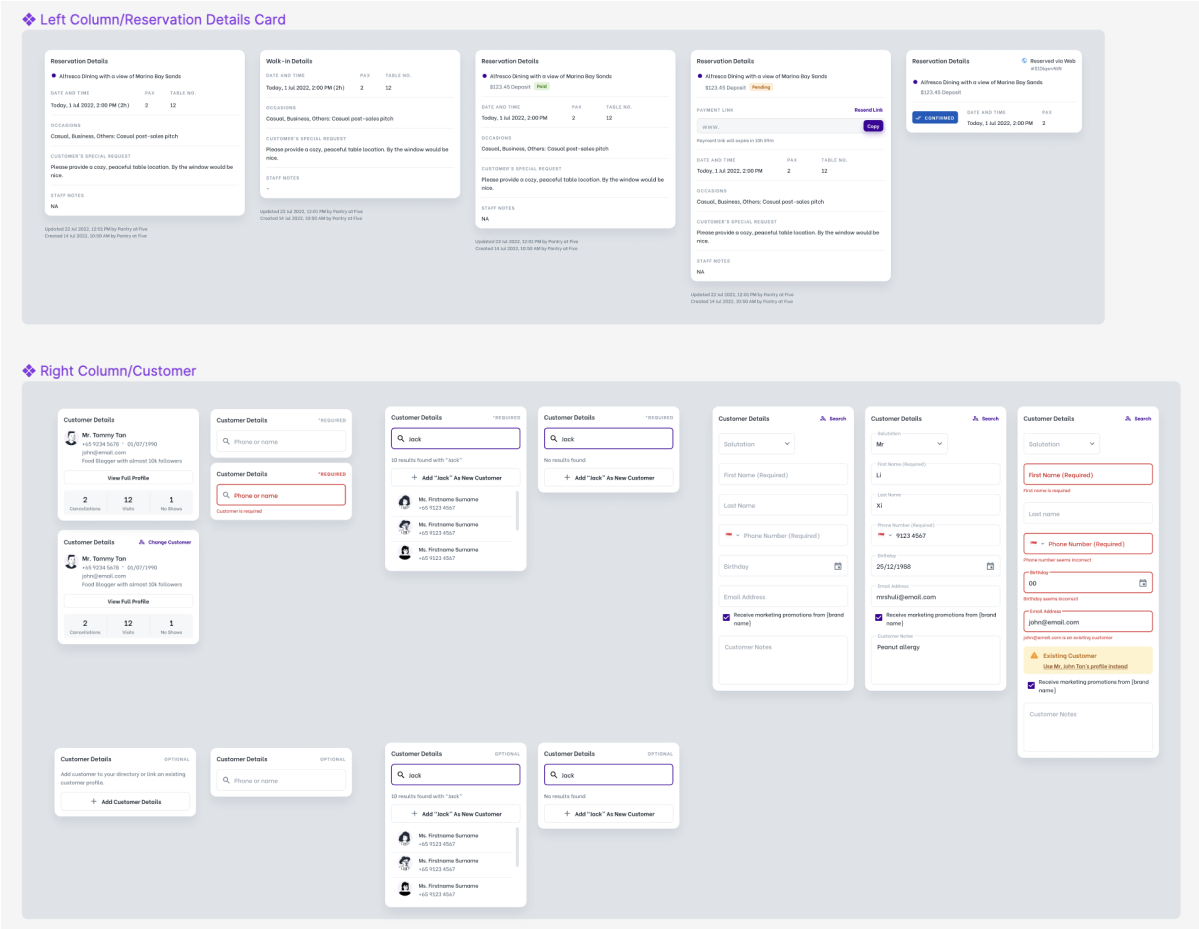
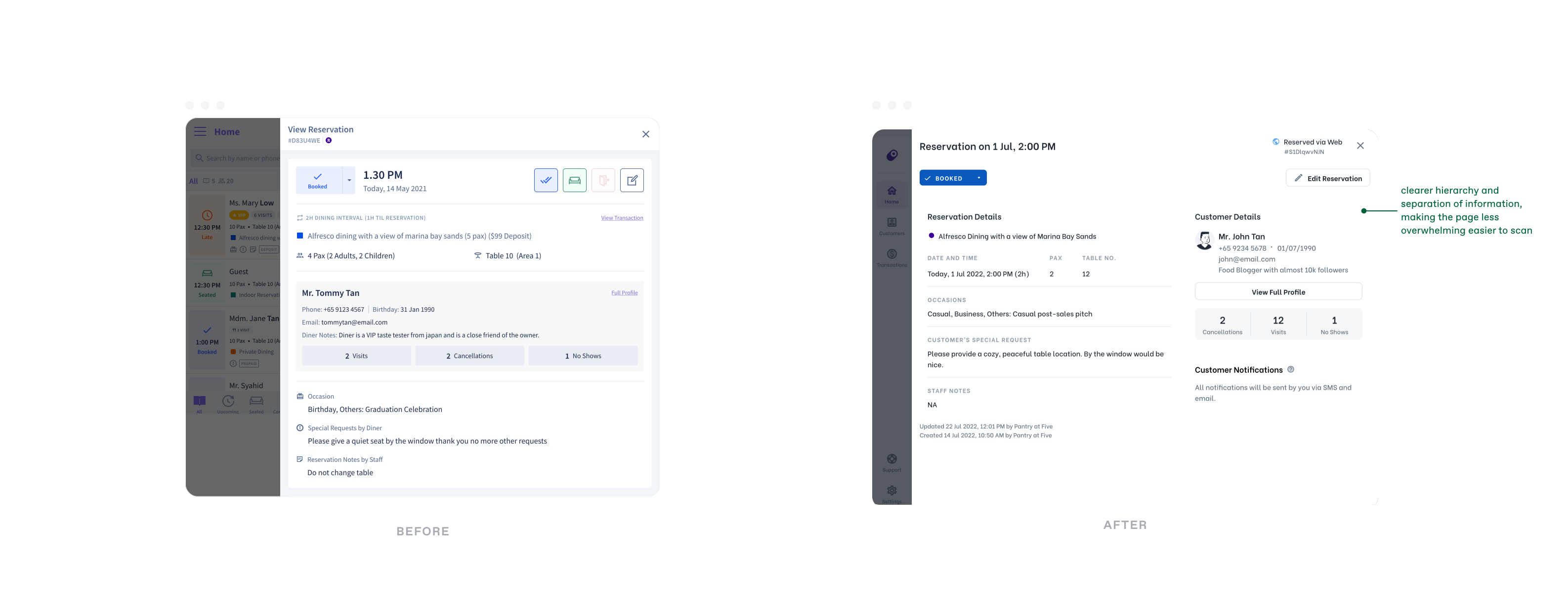
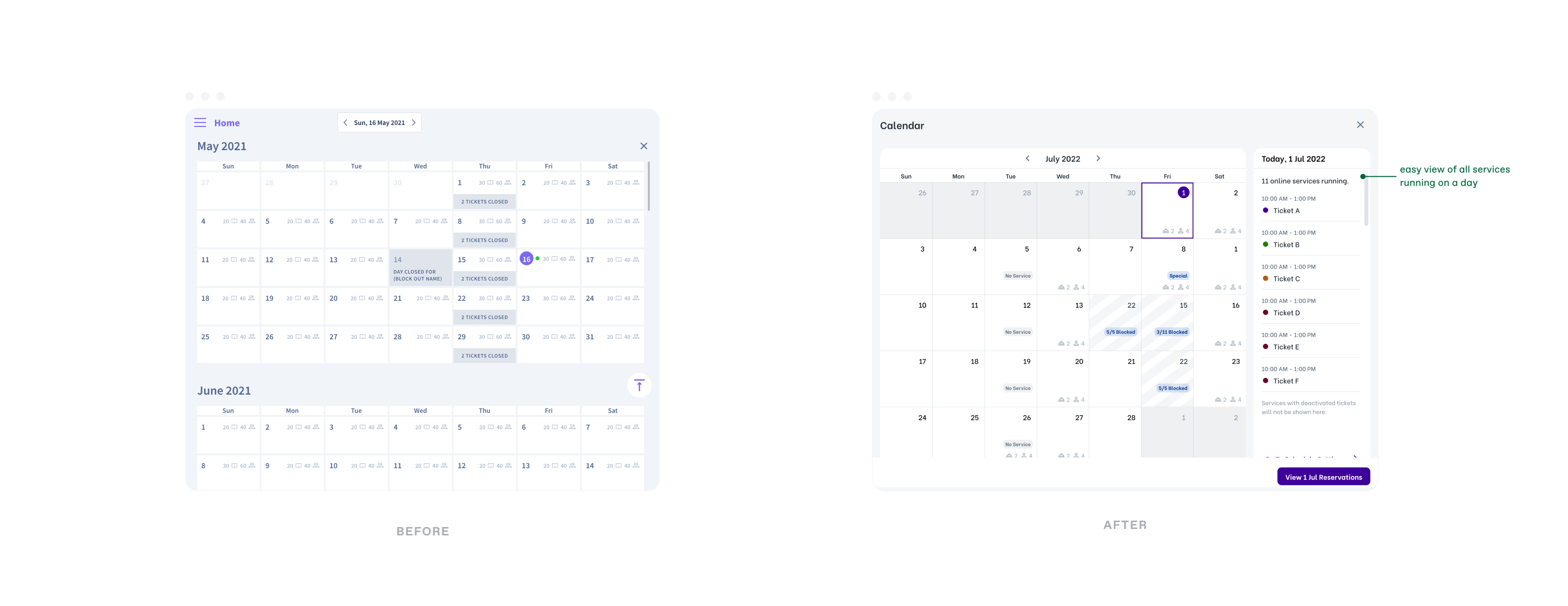
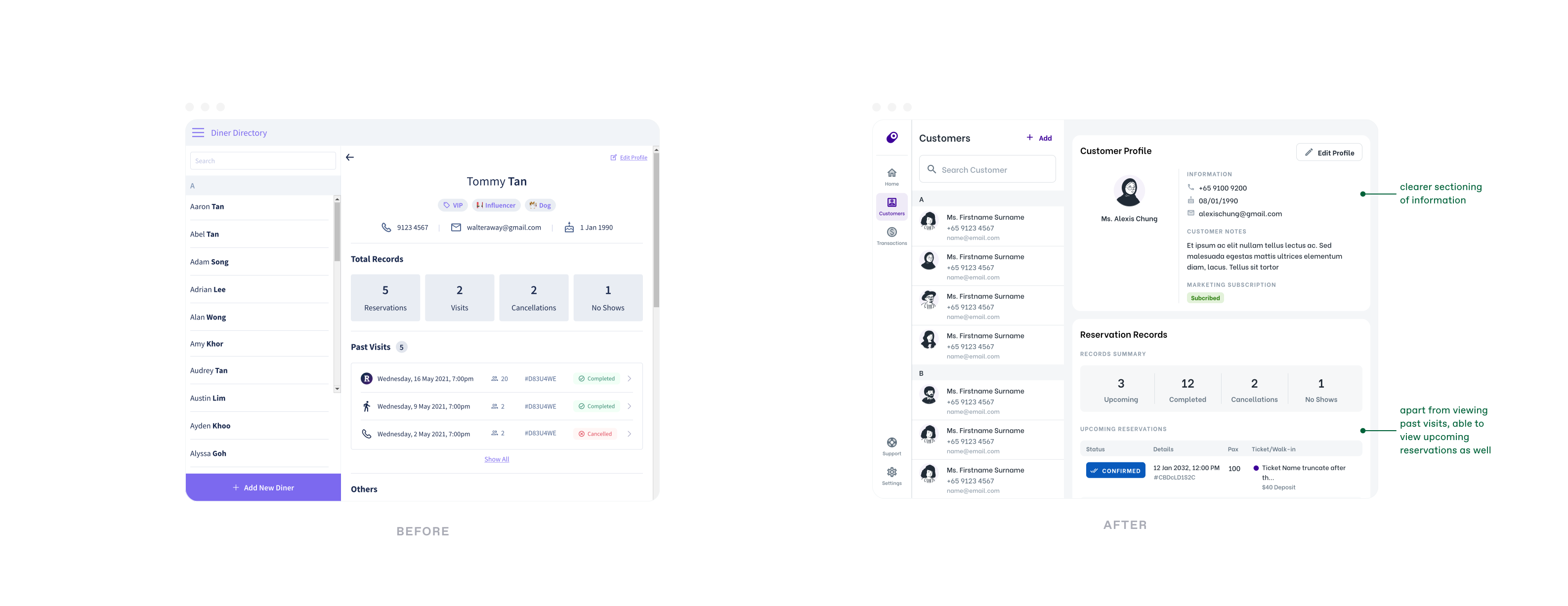
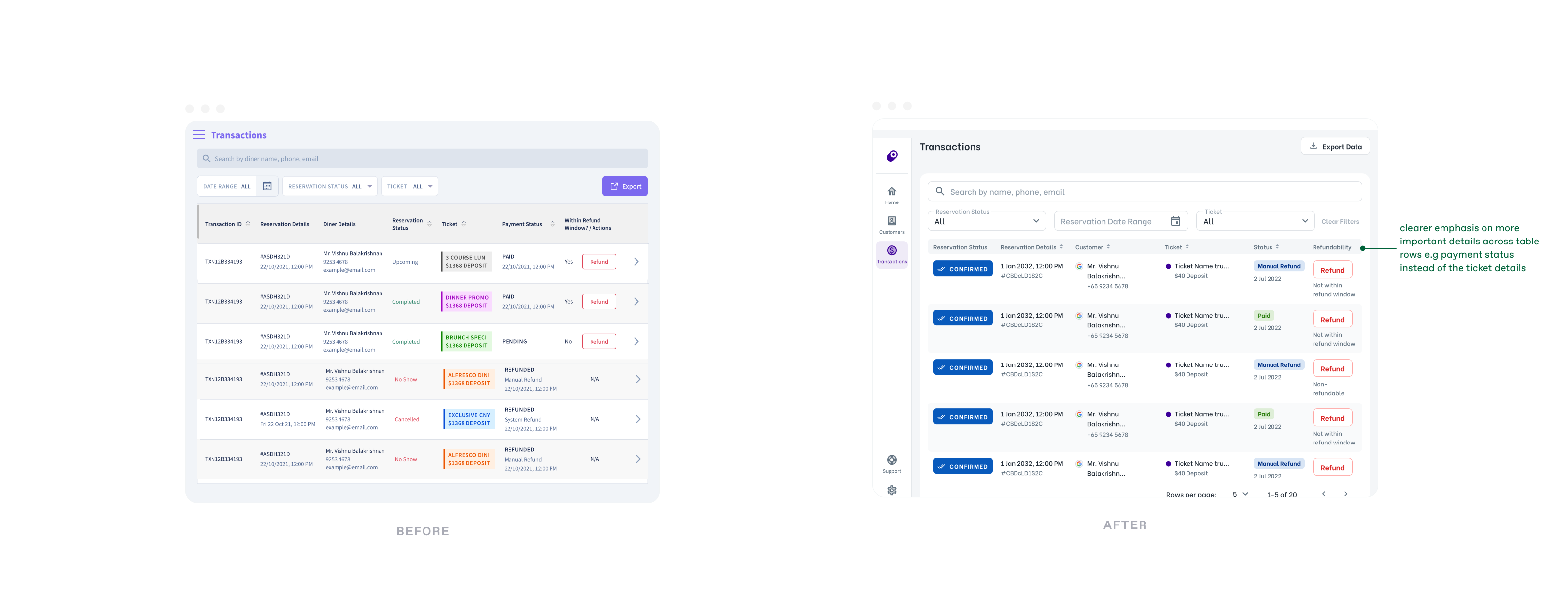
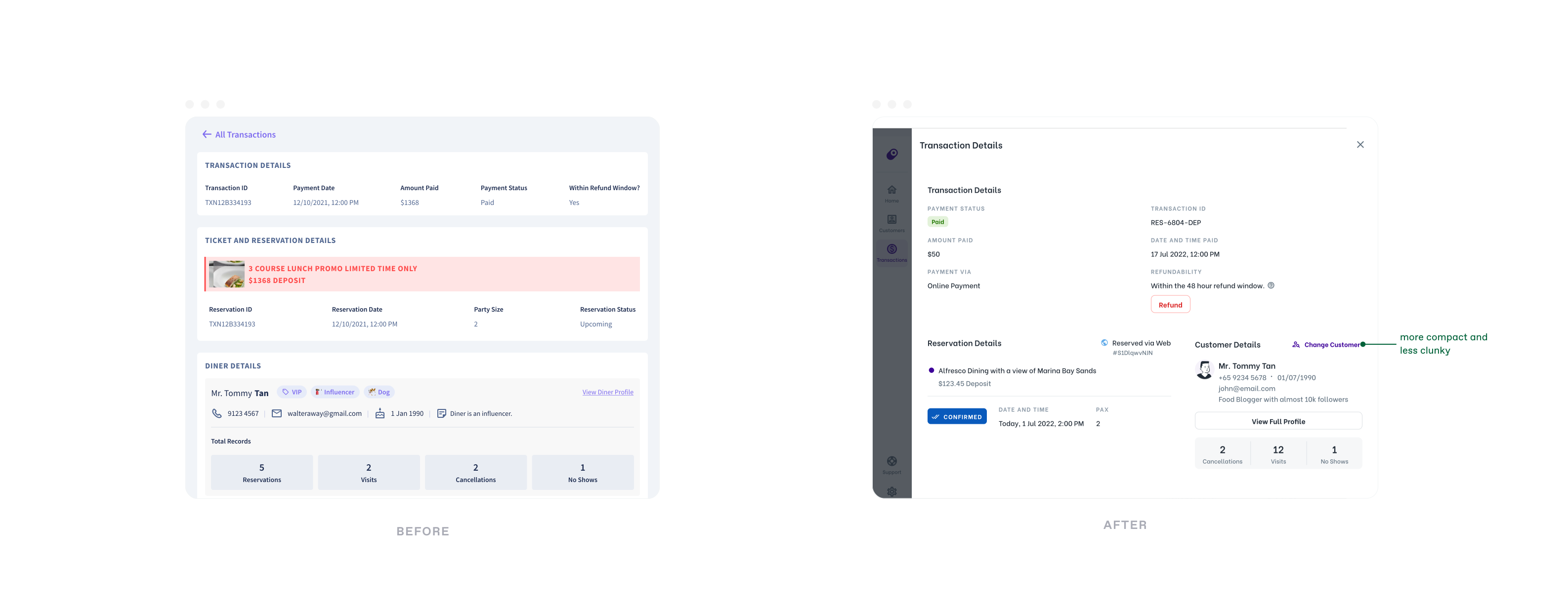
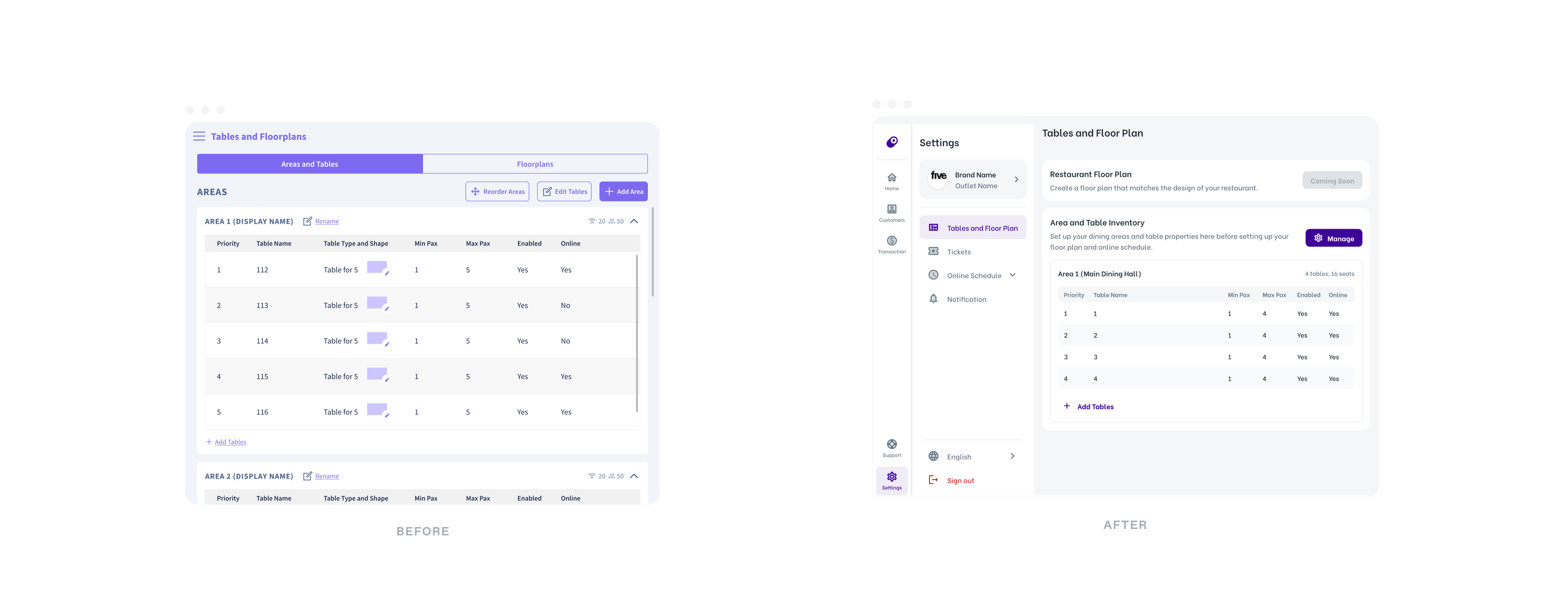
UI revamp of other pages within host app using the new design library:
Usability Test and Design Changes
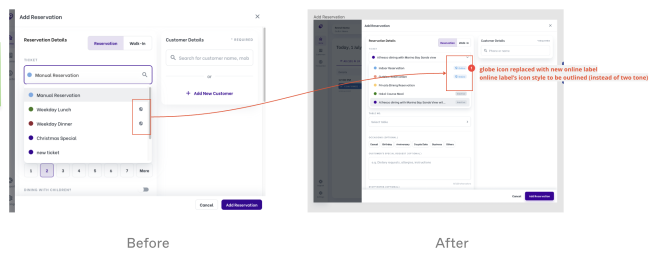
When approx. 80% of development had been done, the PM decided to conduct a usability test to validate the new solution on the staging site. The focus of this usability test was on the online reservation schedule change and basic reservation flows. The test was conducted on 6 shortlisted merchants. From the UT, we found that overall completion rate for adding and editing reservation task was 67.5% and 60% for block out flows.
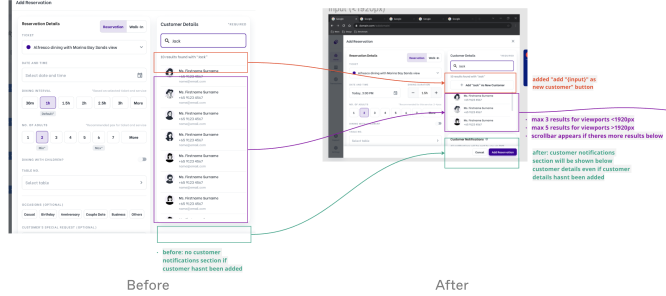
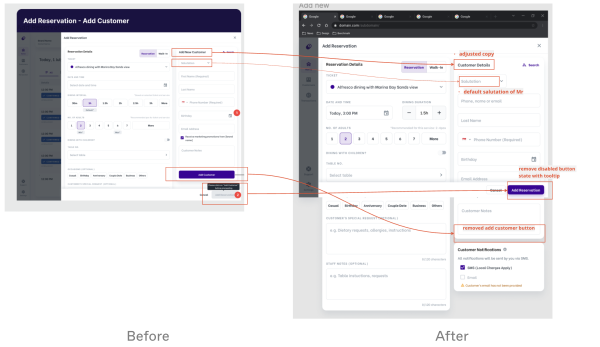
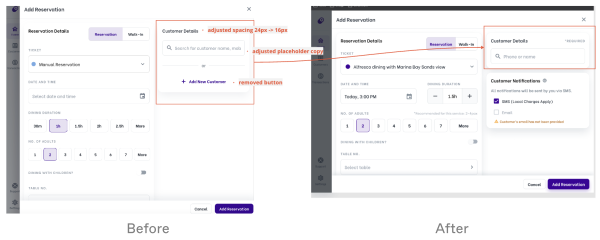
Key pain point 1: Adding new customer in ‘add reservation’ form
All 6
merchants found it troublesome to add a new customer within the form e.g extra clicks, compulsory salutation field
2/6
mistook add customer toast as add reservation toast
Key pain point 3: Block Out Flow
3/6
did not know that they can add block out message as the calendar filled the height of the form
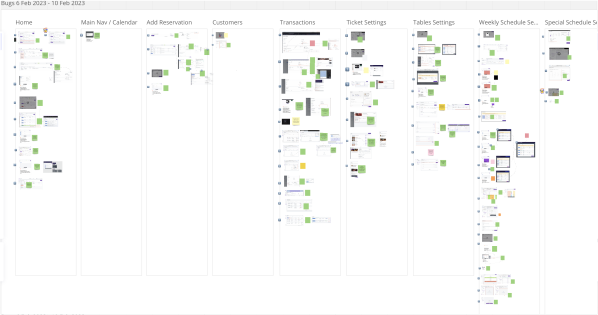
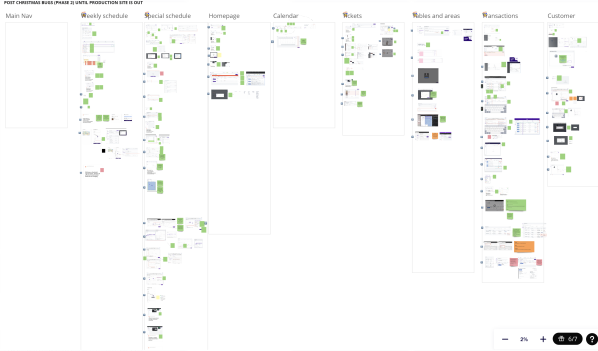
Design vs Code Audit
Learnings on Project Process
I was fortunate enough to be given the opportunity to help take a product from 0 to 1. Naturally, I've come away with a few learnings which I've found to be widely applicable in my future projects.
1. Simplifying product, when less is more
From talking to users, i saw how important it is to simplify designs to drive user adoption and foster long term engagement. By focusing on making our product intuitive and easy to understand, we remove barriers to entry and empower users to quickly grasp its value.
2. Scope
It is important to be realistic with the scope and break projects into smaller design/development periods.
E.g The scope was too big for development so we had to remove many high priority features for phase two e.g floor plan view, custom area view, quick table assignment flow etc, half way through the project. This led to significant amount of time wasted. Even after we had removed these features, the development still took 2 months excluding QA test period for a large team of engineers.
3. Focus on delivering impactful changes
- As the initial brief was a thorough design revamp and improving core reservation flows, it was unclear to me which specific interaction needed design improvement. I also did not know of any ux research methods/existing feedbacks to understand specific user problems, therefore most of initial design solutions were based on my visual audit and team’s assumptions. In retrospect, more time could be saved if i had collected and listed all the pain points and prioritised on the more impactful ones.
- Success metrics should be defined earlier as it determines the events and tools used to track before and after so that the team is focused on delivering impactful changes. For e.g System Usability Scale (SUS) could have been used to measure the impact of the design changes quantitatively.
4. Importance of alignment with PMs
- Ideally, designers could be involved in early stage research as well as scoping and prioritisation process with the PMs so as to understand how they balance user and business needs and the team is aligned on the reason why we are solving the problems.
- Important to align expectations with PMs on the research purposes and outcomes.
Learnings on User Research
1. Importance of testing designs
Through my first experience of conducting usability test (UT), I have learnt the importance of testing design solutions early and often with real-world users instead of designing based on the team’s assumptions. It would have saved me significant amount of time on unnecessary design iterations had I learnt this earlier. I have also found it easier to validate my designs based on users’ actual behavioural data.Although the UT was conducted late into the project (80% of development was done), we discovered things that would not have been identified during internal testings caused by implementation assumptions made by engineers and things that were not specified explicitly. For e.g allowing “6” to be entered in phone number field. In the event that a UT cannot be conducted after development has been done, we could minimise bugs by providing channel for merchants to send feedbacks instantly.
2. Learnings in the research process
It is useful to organise notes and pain points after each session so that we may spot common user behaviours early and have the opportunity to dig deeper with the subsequent interviewees.It is important to organise and present insights from the research so that information is accessible for the product team especially if they are useful for future projects.
3. Use data for optimised design
It is important to understand the actual devices used by users. E.g the initial design was created on iPad Pro canvas. However, data showed that most users were using devices with the size of a standard iPad. This led to significant amount of time wasted to resize my designs to more commonly used device to optimise user experience.